

Home
Notifications
Clear all
Rules and Guidelines
1 Posts
1 Users
0 Reactions
166 Views
Topic starter
Creating your account on Ofhit Forum is quick and simple. Just follow the steps below:
✅ Step 1: Go to the Registration Page
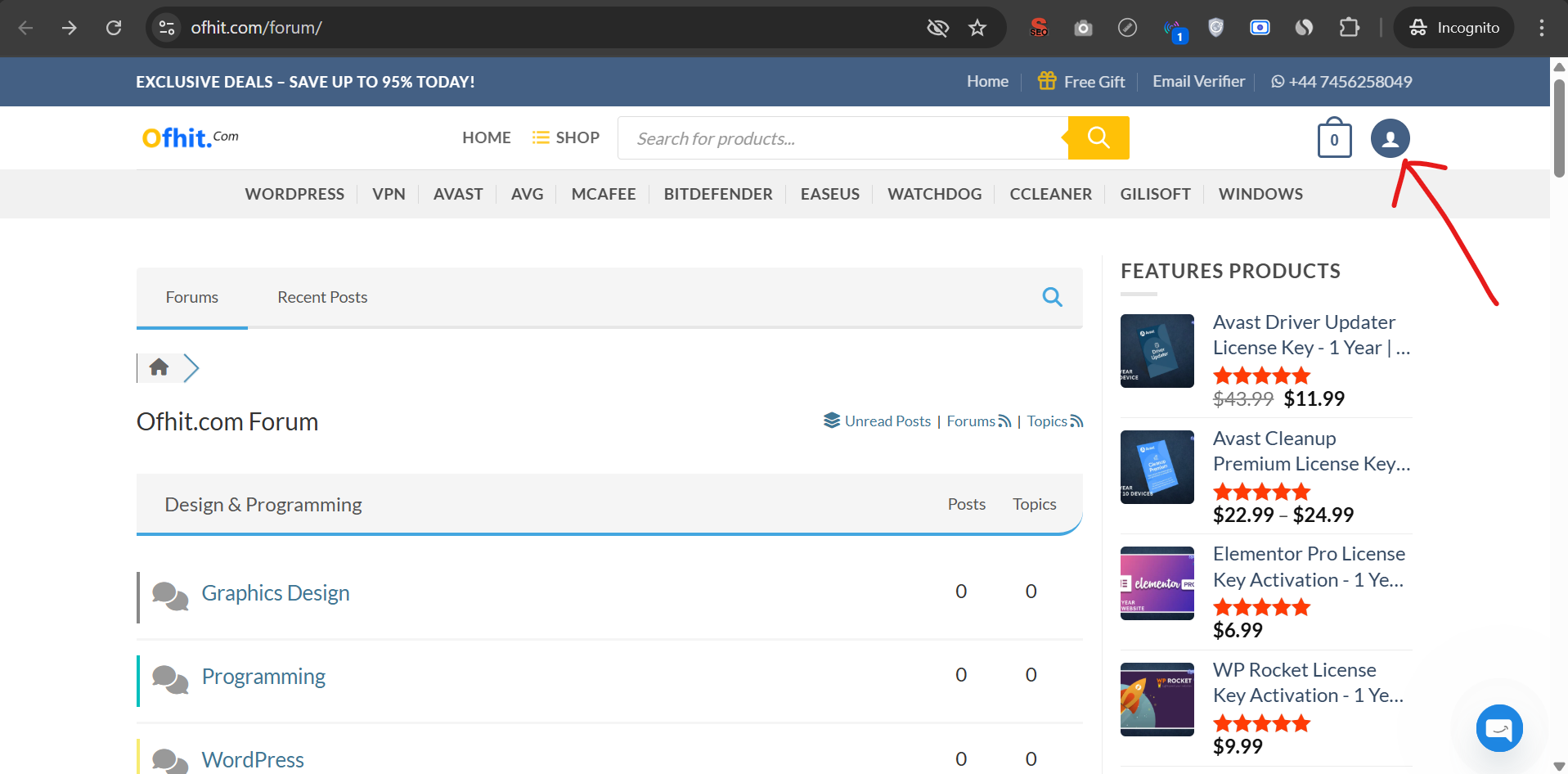
Click on the Profile icon located at the top-right corner of the website.
You will be redirected to the account page.
✅ Step 2: Complete the Registration Form
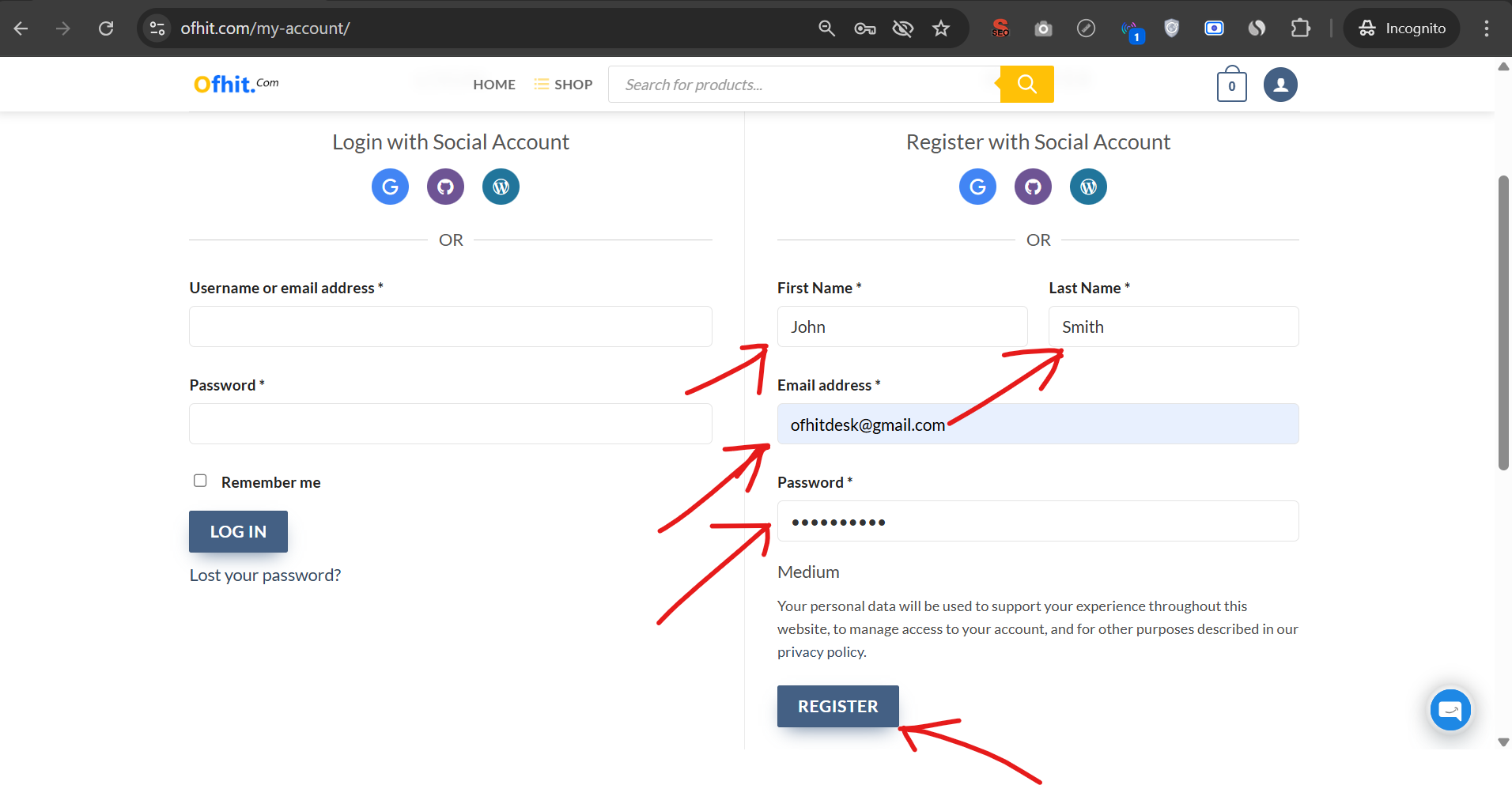
In the Register section, enter the following details:
First Name
Last Name
Email Address
Password
After filling in the required information, click the Register button.
🎉 You're All Set!
If your email address is valid, your account will be created instantly.
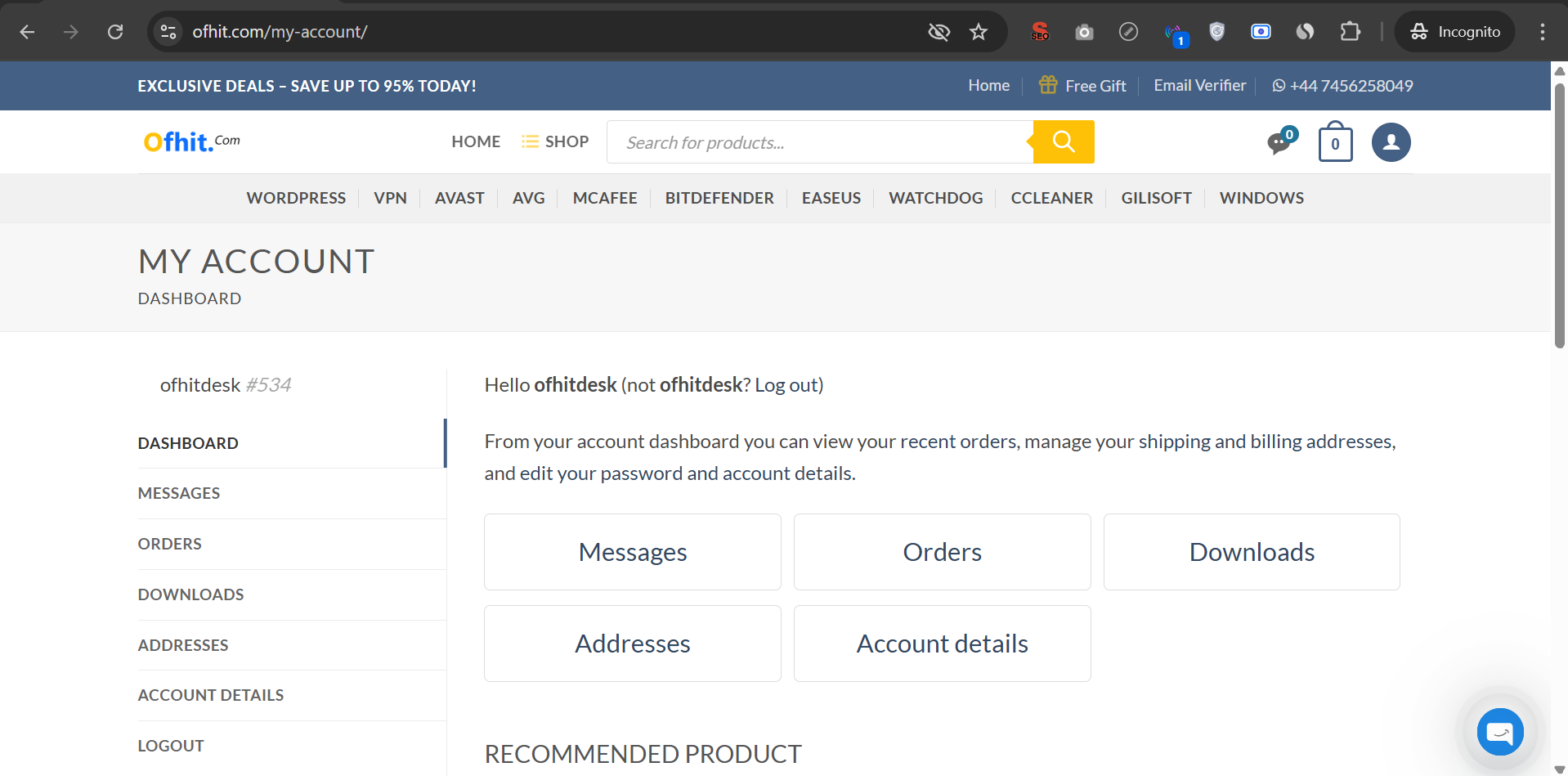
You will be automatically logged in and redirected to your account page.
Get Mega Deals on Official Licenses – Save Up to 95% Today!
Unlock 100% genuine WordPress themes, plugins, antivirus, and Office licenses – all at unbeatable prices. You’ll always receive 100% original & authentic products from us. We are proud to be an authorized reseller you can trust.
Visit: Ofhit.com
Posted : 02/03/2026 12:49 pm