

Home
Notifications
Clear all
Rules and Guidelines
1 Posts
1 Users
0 Reactions
8 Views
Topic starter 02/03/2026 12:49 pm
Creating your account on Ofhit Forum is quick and simple. Just follow the steps below:
✅ Step 1: Go to the Registration Page
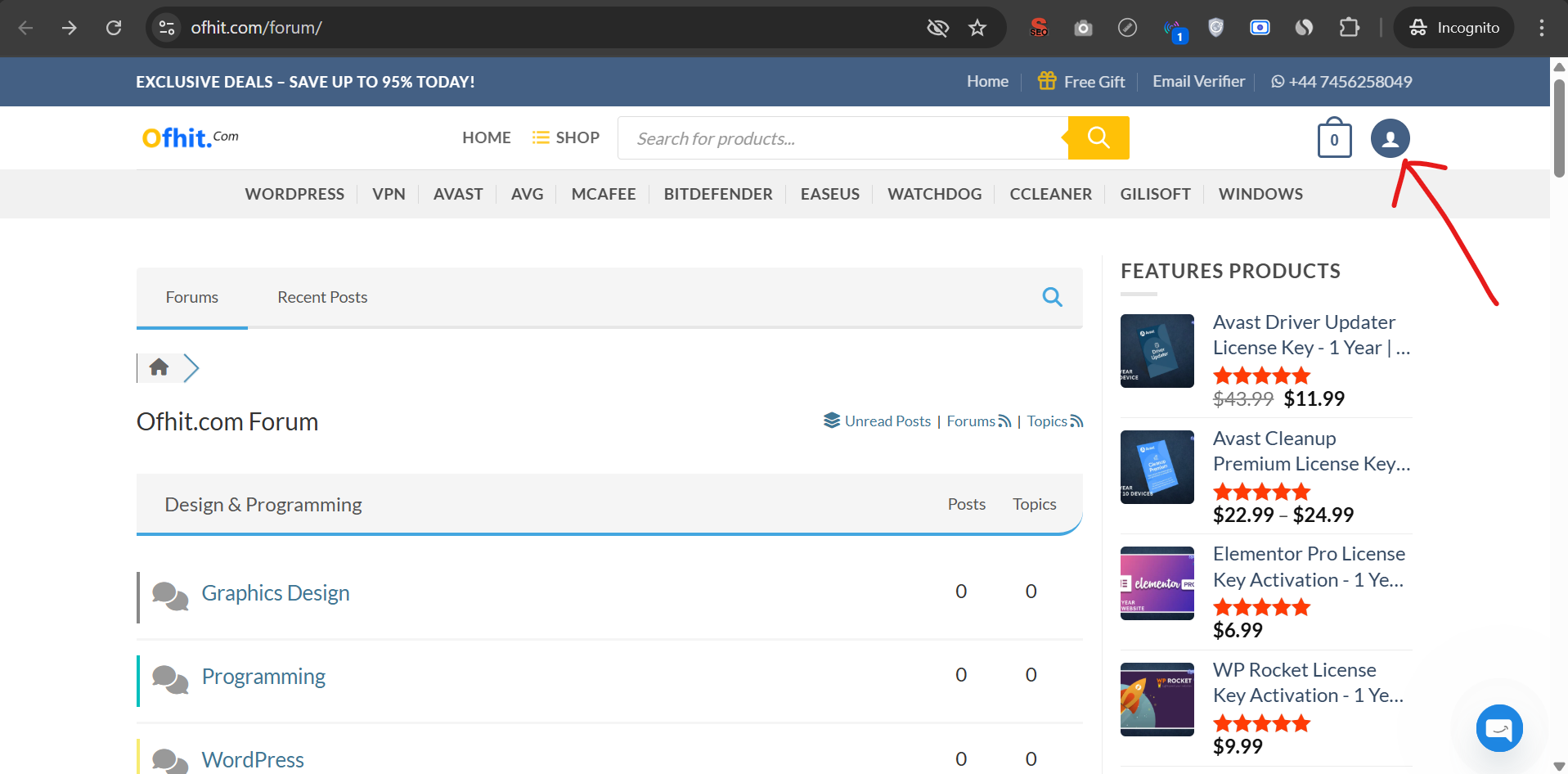
Click on the Profile icon located at the top-right corner of the website.
You will be redirected to the account page.
✅ Step 2: Complete the Registration Form
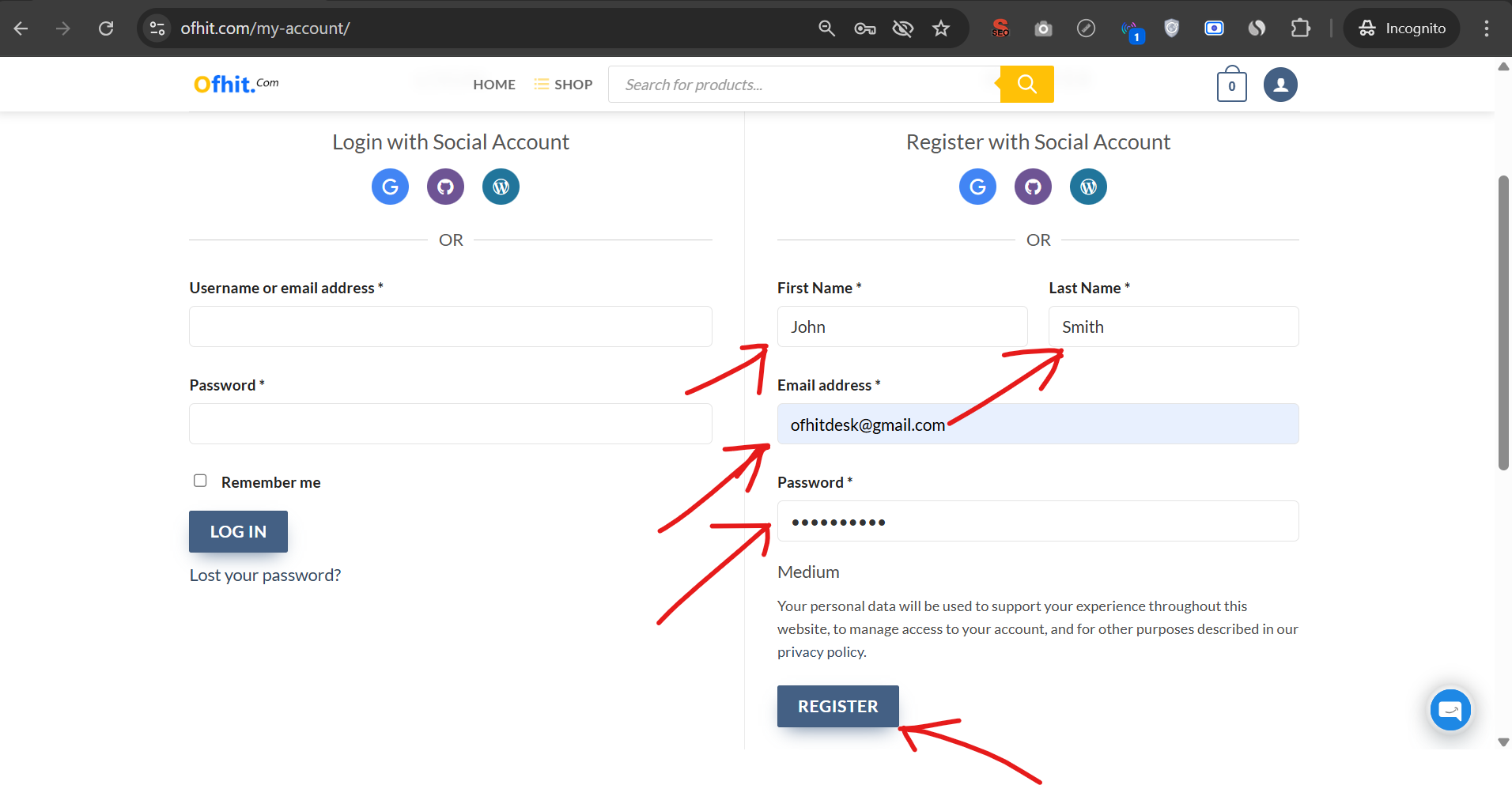
In the Register section, enter the following details:
First Name
Last Name
Email Address
Password
After filling in the required information, click the Register button.
🎉 You're All Set!
If your email address is valid, your account will be created instantly.
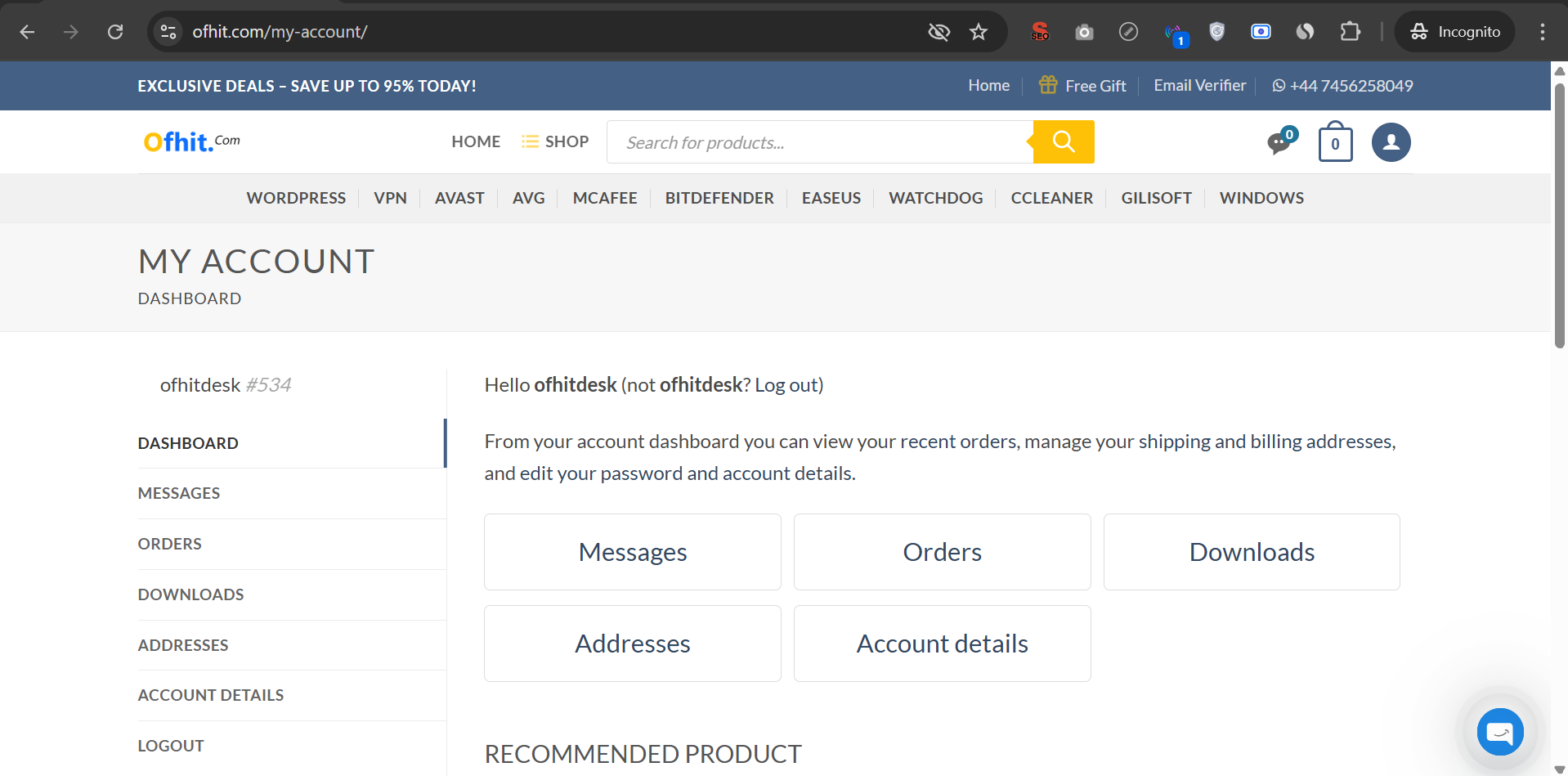
You will be automatically logged in and redirected to your account page.