


Home
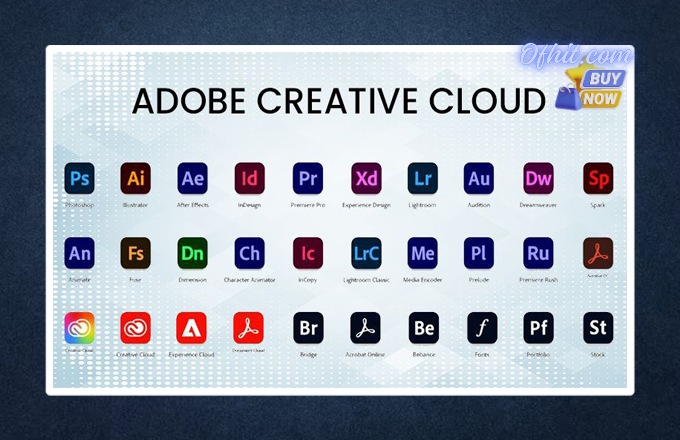
Adobe Creative Cloud Subscription – Monthly
$6.99
In Stock
Adobe Creative Cloud Subscription gives you access to the world’s most powerful creative tools in one place.
About this item:
- Monthly Subscription
- 4,000 Firefly AI Credit
- Maximum 2 devices login
- Access to 20+ Adobe Apps
- We will provides Email & Password
The Adobe Creative Cloud Subscription is a complete creative solution that includes over 20+ professional apps and services for design, video editing, photography, UI/UX, and more. It combines industry-standard tools like Photoshop, Illustrator, Premiere Pro, and After Effects into a single subscription.
With this subscription, you can work across desktop, web, and mobile devices while syncing your projects in real-time through cloud storage. Adobe also integrates advanced AI tools like Firefly to help you create faster and smarter.
This plan is perfect for freelancers, agencies, YouTubers, content creators, and businesses who want professional-grade tools without limitations.
🔹 Adobe Creative Cloud Features:
✅ Access to 20+ Premium Adobe Apps
Get full access to industry-leading applications including:
- Photoshop (Photo Editing)
- Illustrator (Vector Design)
- Premiere Pro (Video Editing)
- After Effects (Motion Graphics)
- Lightroom (Photo Management)
- InDesign (Layout Design)
- Acrobat Pro (PDF Editing)
- Adobe XD (UI/UX Design)
…and many more tools for creative work.
✅ All-in-One Creative Suite
Create everything from logos, social media posts, and websites to films and animations — all within one subscription.
✅ AI-Powered Features (Adobe Firefly)
Use advanced AI tools for:
- Image generation
- Background removal
- Smart editing
- Automated design suggestions
Adobe Firefly enhances productivity and creativity.
✅ Regular Updates & New Features
Always stay updated with the latest features and improvements without any extra cost.
✅ Cross-Platform Compatibility
Works smoothly on:
- Windows
- macOS
- Mobile Devices
✅ Creative Cloud Extras
- Adobe Fonts
- Behance Portfolio
- Creative Cloud Libraries
- Tutorials & Learning Resources
How to Log in to Adobe Creative Cloud?
Getting started with your Adobe Creative Cloud account is quick and easy. Simply follow the steps below:
Step 1:
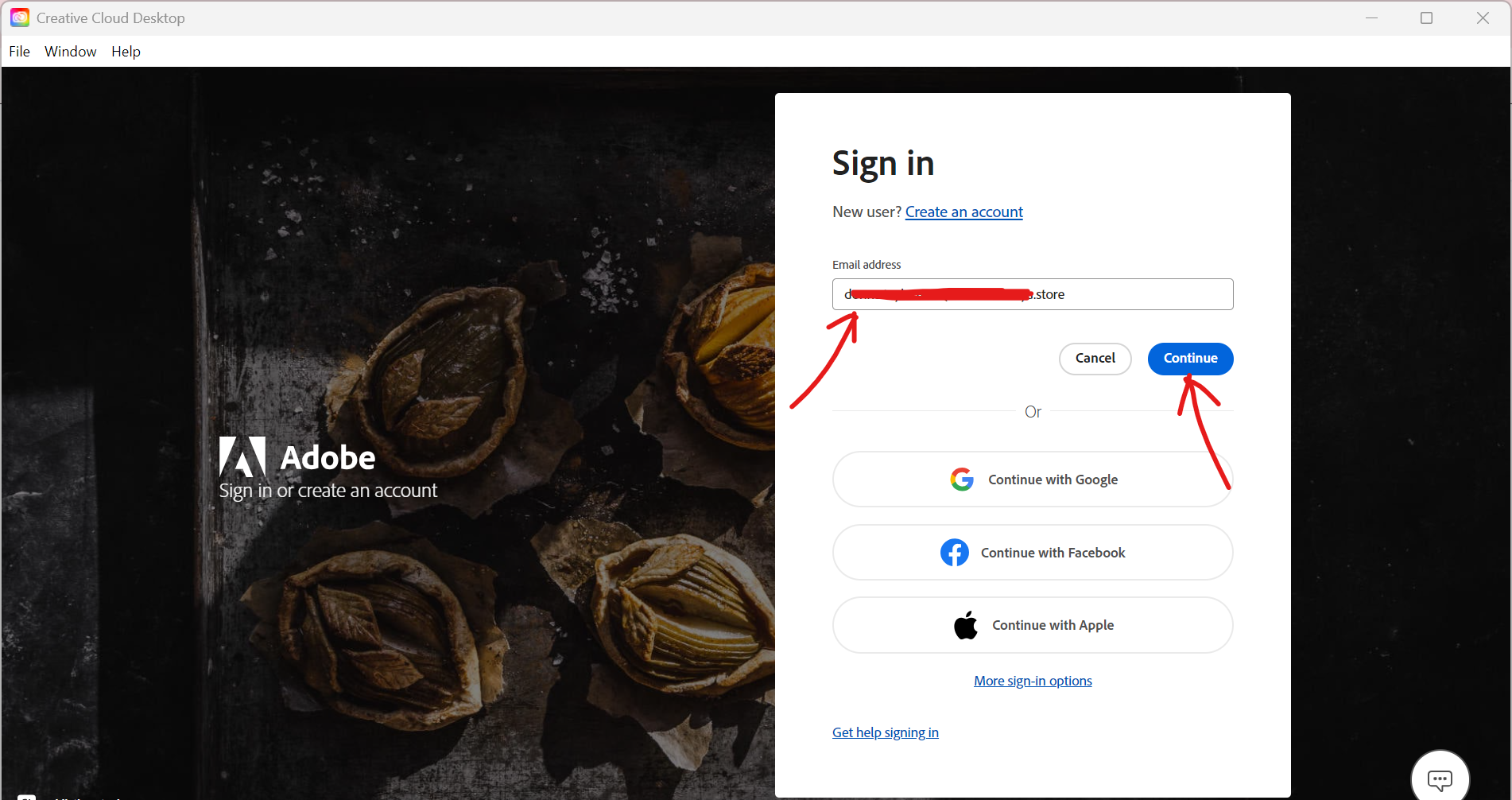
Open the Adobe Creative Cloud application. Enter the email address provided by us, then click on the Continue button.
Step 2:
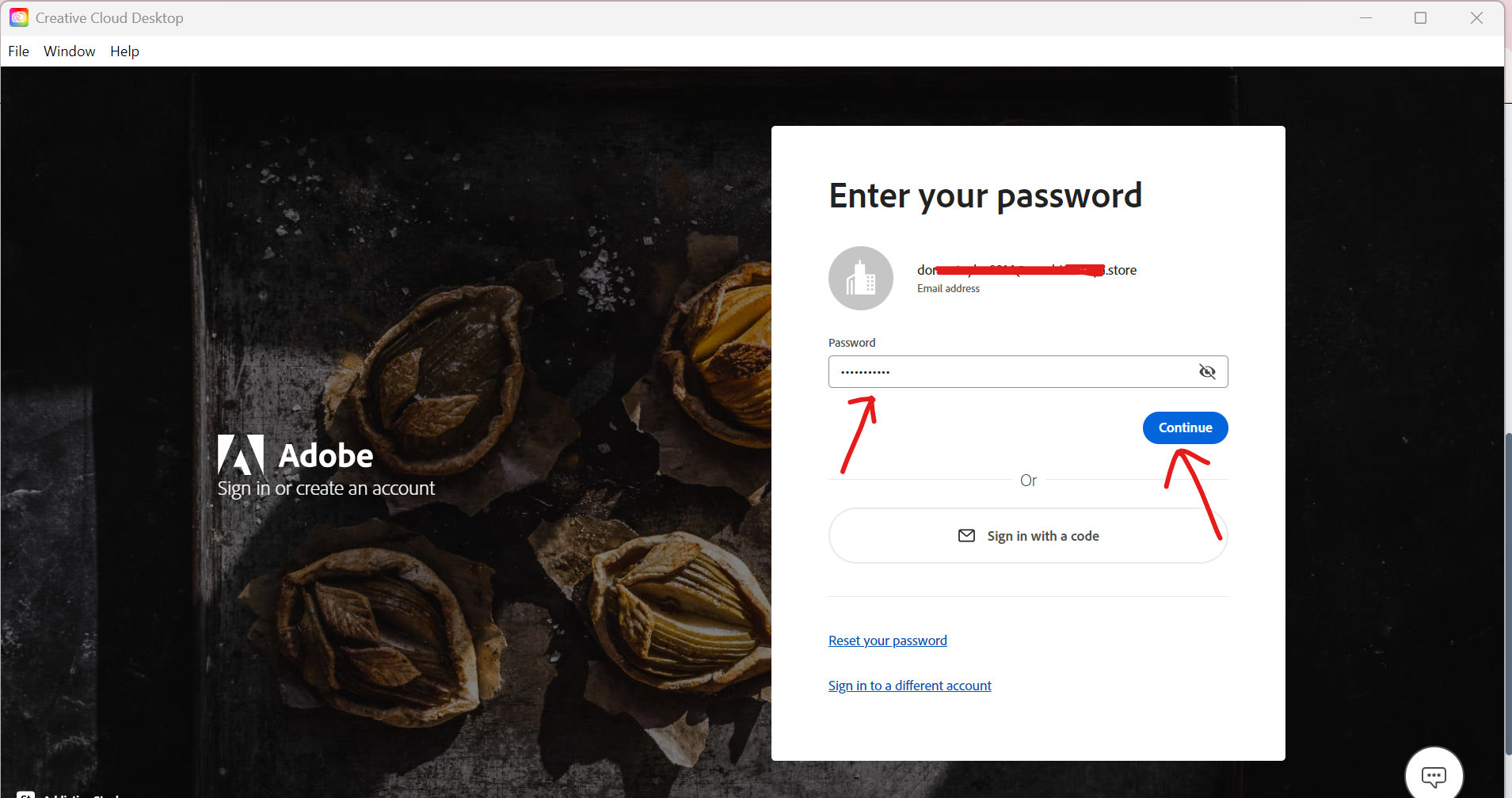
Enter the password we provided and click Continue to proceed.
Step 3:
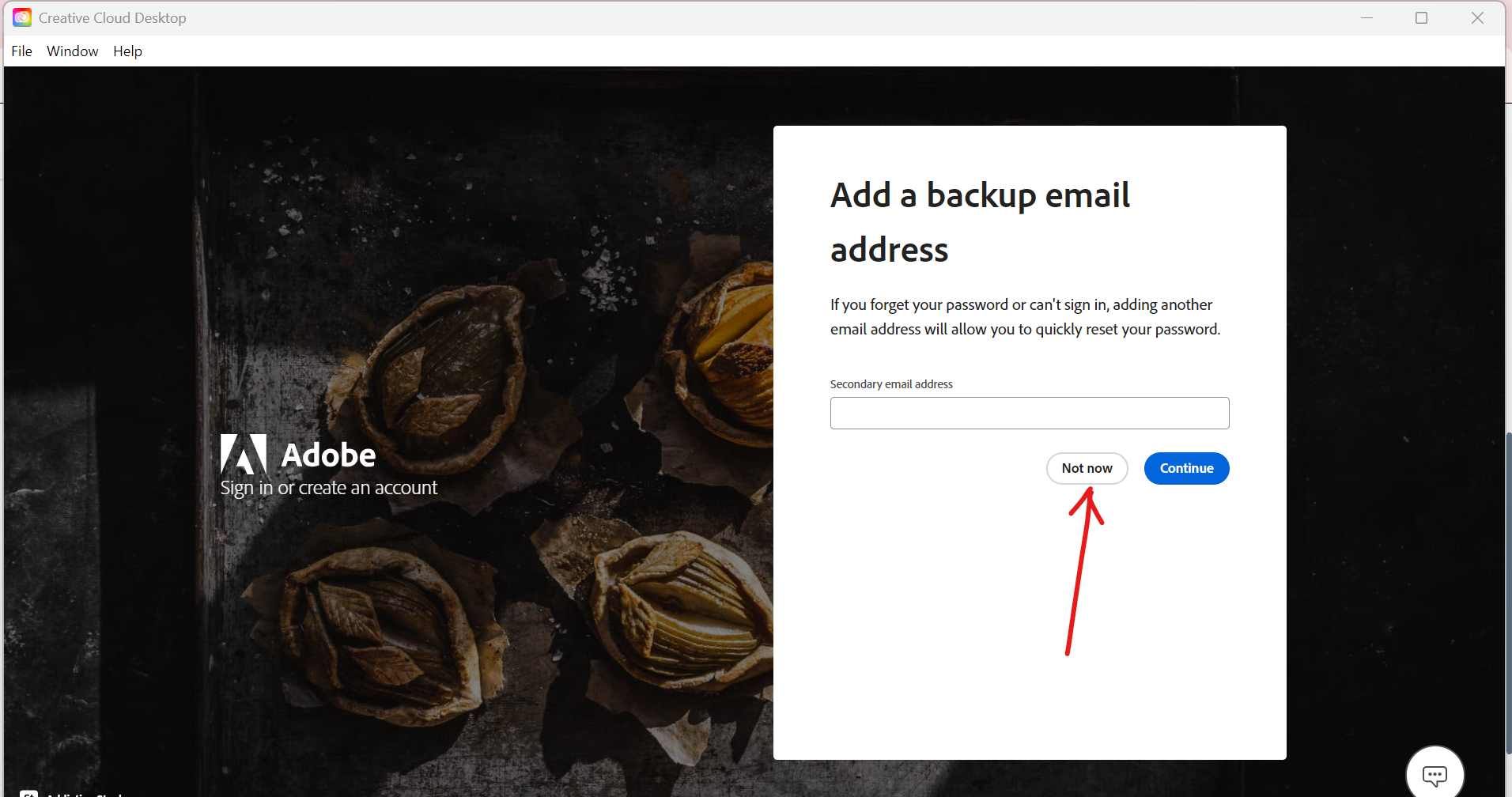
You may see an option to add a backup email address. This step is optional—simply click “Not Now” to skip it.
Step 4:
Select the appropriate Team Profile from the list.
⚠️ Important: Please do not select the Personal Profile.
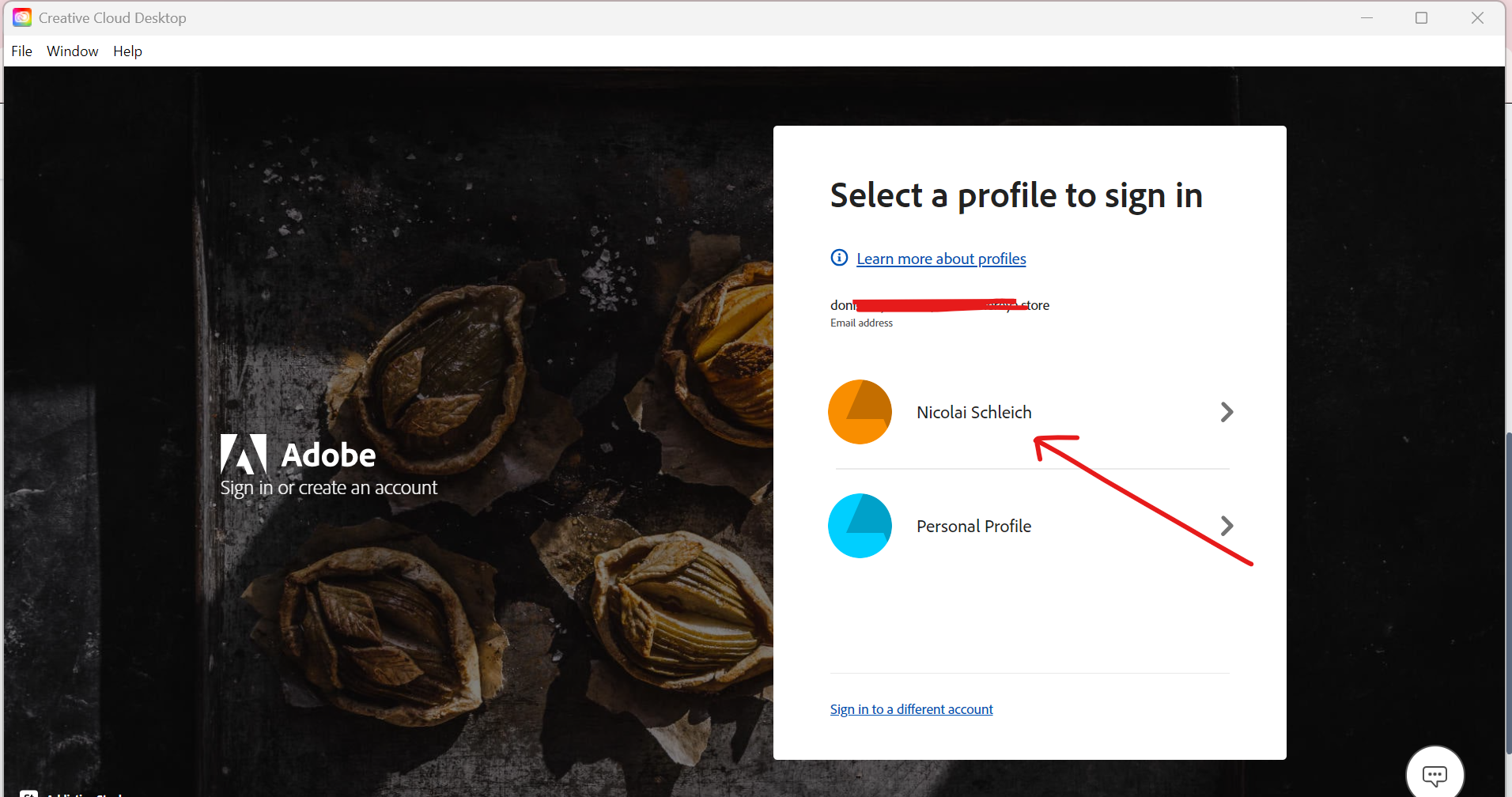
✅ That’s it! You are now successfully logged in to Adobe Creative Cloud and ready to start using all premium features.
How to Check Adobe Firefly AI Credits?
You can easily check your available Adobe Firefly AI credits by following the steps below:
Step 1:
Visit the official Adobe website: https://www.adobe.com/
Click on the Sign In button located at the top-right corner.
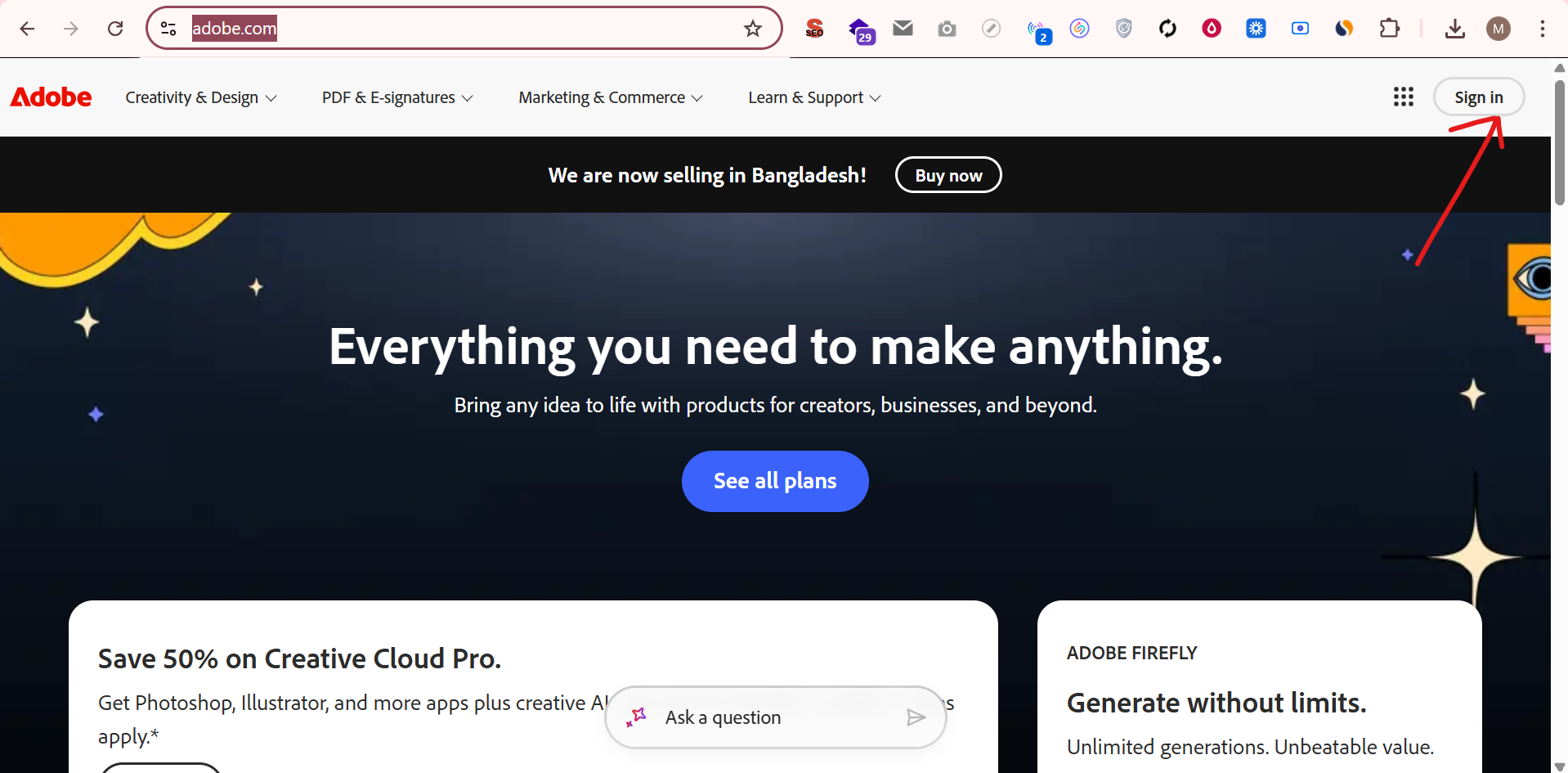
Step 2:
Log in using the email and password provided by us.
Follow the same login process as you would for the Adobe Creative Cloud app.
Step 3:
Once you are successfully logged in, click on your Profile Icon in the top-right corner.
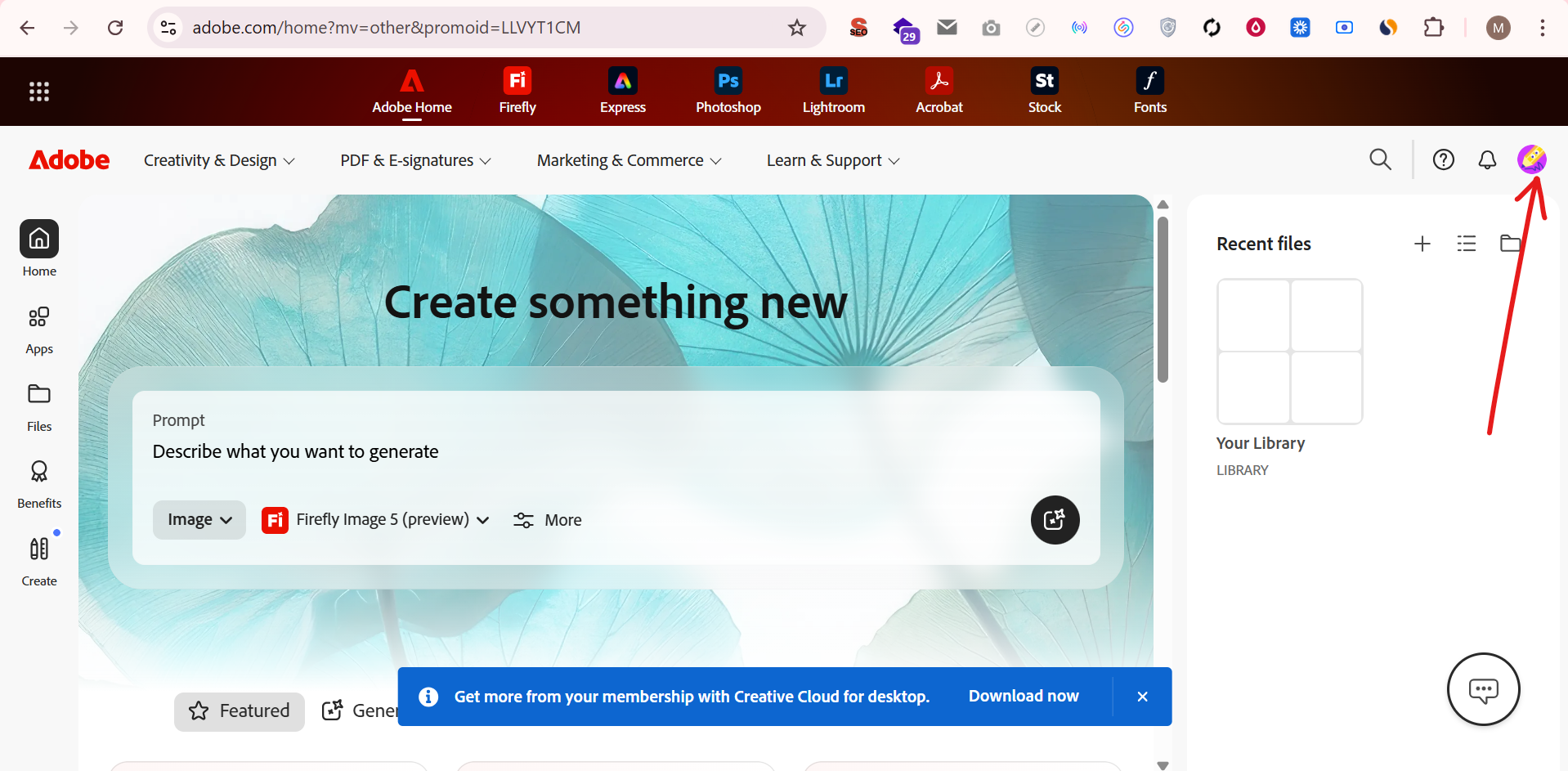
Step 4:
From your account dashboard, you will be able to view:
- Total AI Credits
- Available AI Credits
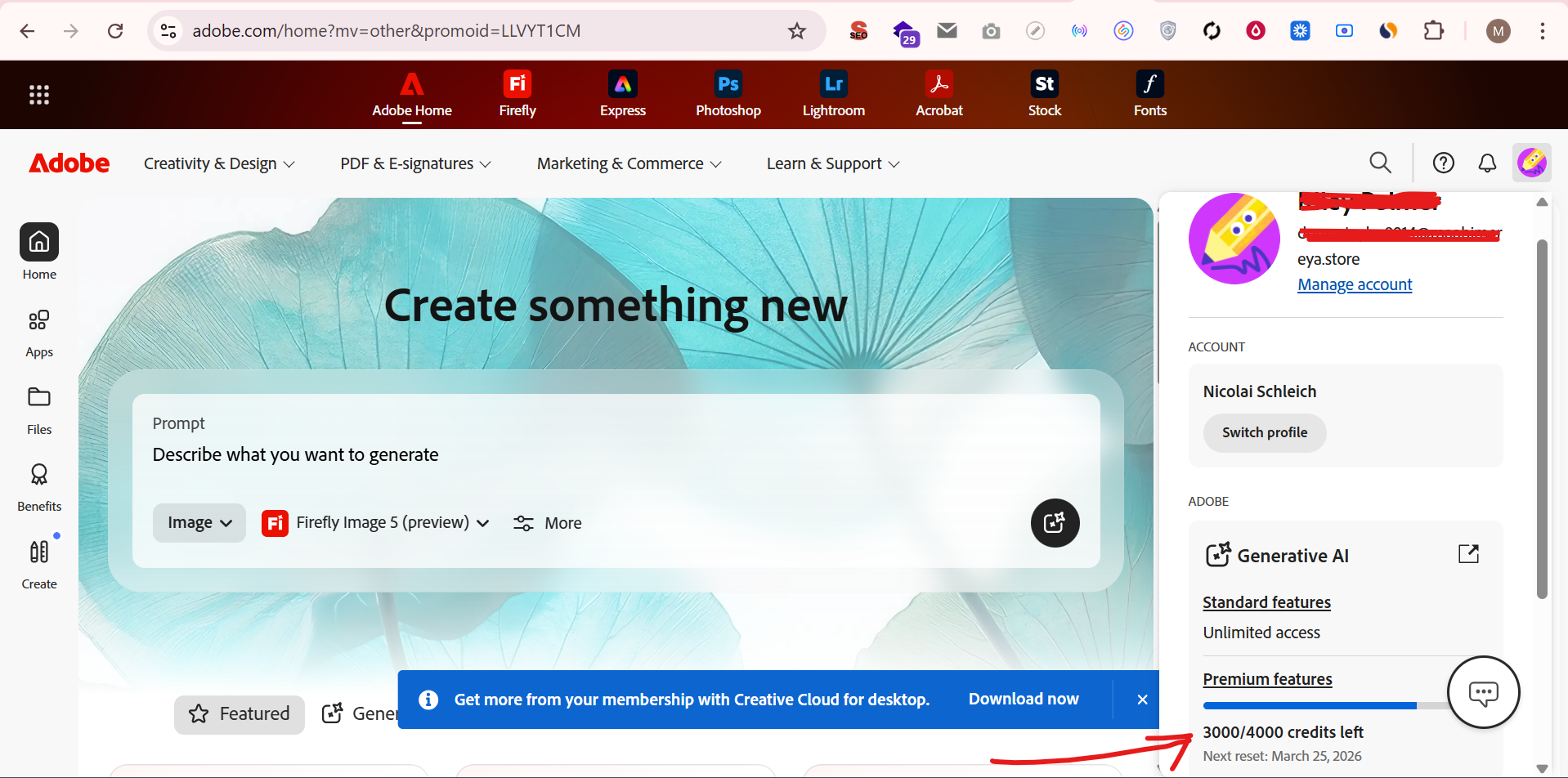
✅ That’s it! You can now easily monitor your Adobe Firefly AI credit usage anytime.
Only logged in customers who have purchased this product may leave a review.
You may also like…
Related products

Price range: $7.99 through $8.99
This product has multiple variants. The options may be chosen on the product page
Reviews
There are no reviews yet.